

/
Windows is where most of us actually live online. Work, banking, streaming, downloads, late-night browsing — it all happens on the same PC. That also makes Windows the device that sees the most of your real IP address, the most of your unencrypted traffic, and the most of whatever your ISP or a public Wi-Fi hotspot can observe.
Today that changes.
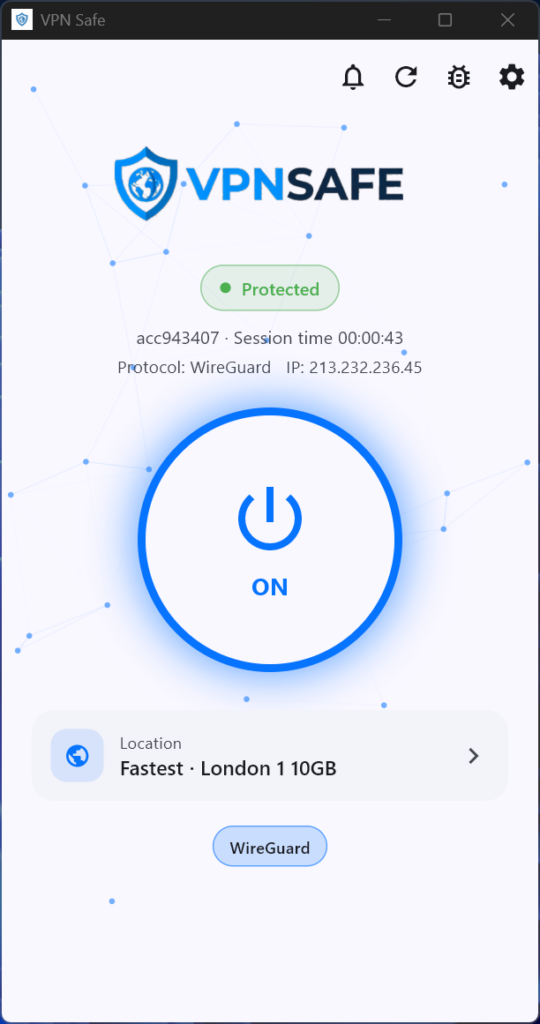
The VPNSAFE Windows app is live. It is the fastest way to put OpenVPN or WireGuard between your PC and the rest of the internet — without importing config files, without wrestling with Windows’ built-in VPN screen, and without giving up speed for security.
Download it here: vpnsafe.net/windows
Why a dedicated Windows app matters
You can connect to VPNSAFE with a generic OpenVPN or WireGuard client. Plenty of power users still do. But a dedicated app exists for a reason.
Windows’ own VPN settings do not speak WireGuard or OpenVPN. A standalone WireGuard or OpenVPN GUI will get you a tunnel, then leave you to pick servers by hand, remember which protocol you used last time, and hope nothing leaks when the connection drops. That is fine for a lab. It is not how most people want to protect a daily driver PC.
The VPNSAFE Windows app is built around the way people actually use a laptop:
- Quick Connect / Smart Connect picks a fast server for your location in one click.
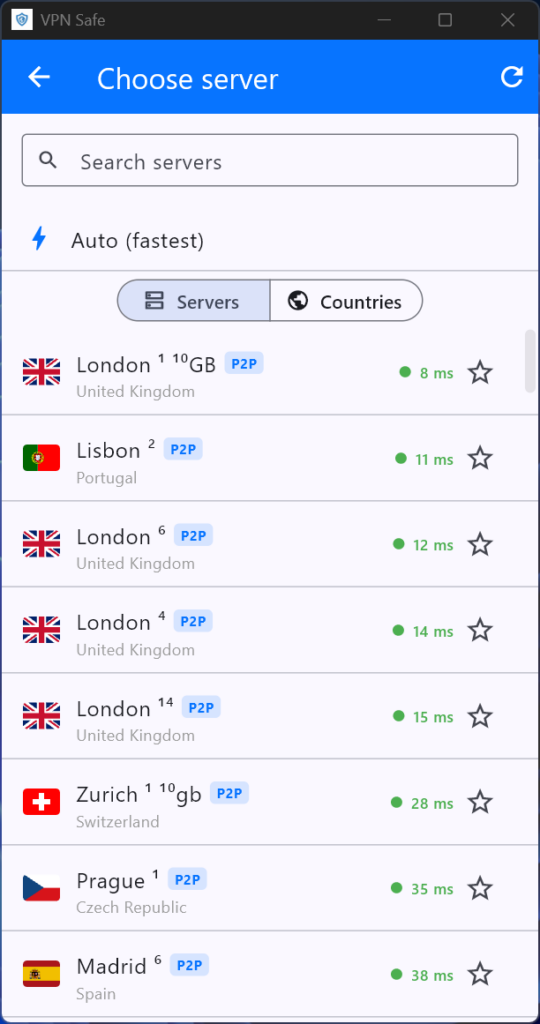
- You can still choose any location on your plan when you need a specific GEO IP.
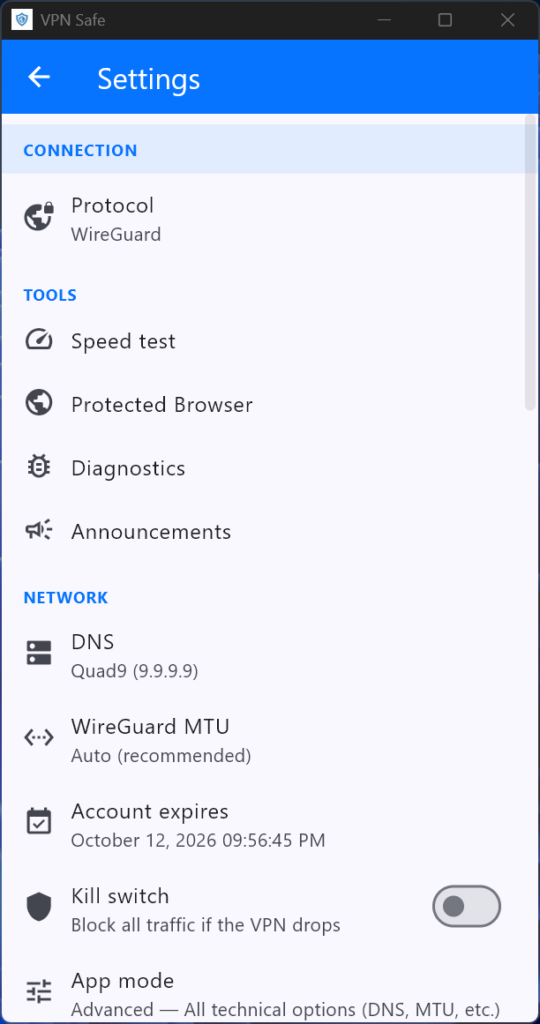
- OpenVPN and WireGuard sit behind the same login. Use WireGuard when you want the lightest, fastest tunnel. Switch to OpenVPN when a network is fussy.
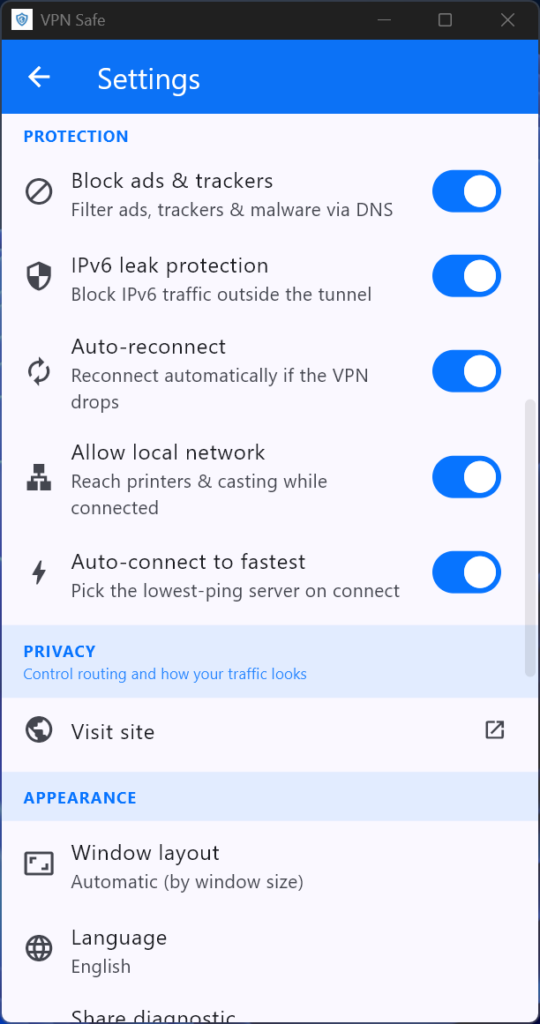
- Threat Protection Pro™ scans downloads for malware and blocks suspicious sites and ads on top of the encrypted tunnel.
- One account. One password. Up to 6 devices at the same time, including this Windows PC.
You get the protocols people actually trust, without the setup people usually abandon.
What you get on Windows
Enterprise-grade privacy, everyday speed
The app encrypts your traffic and replaces your real IP with a VPNSAFE server address. Your ISP sees an encrypted tunnel, not the sites you visit. Public Wi-Fi hotspots — hotels, airports, cafés, shared offices — stop being an open window onto your session.
That is the core job of a VPN. The app is how you turn it on without thinking about it.
WireGuard when you want speed. OpenVPN when you want reach.
VPNSAFE supports both WireGuard and OpenVPN.
WireGuard is the modern, lean protocol. It is the one you want for streaming, large downloads, and day-to-day browsing. OpenVPN is the battle-tested fallback when a network filters unusual traffic. Having both in one Windows client means you do not have to reinstall anything when a hotel captive portal or a restrictive office network gets in the way.
A new GEO IP in 57 cities, 39 countries
VPNSAFE runs state-of-the-art data centres across 57 cities in 39 countries — more than 1,000 high-speed servers — so you can place yourself in London, New York, Frankfurt, Tokyo, Sydney, Singapore, and dozens of other locations.
Use that for two things:
- Privacy. Hide your real IP and browse with a clean identity.
- Access. Watch UK TV on Netflix, BBC iPlayer, and Amazon Prime Video without the usual geo wall, buffering, or throttling.
Pick a city when you care about the location. Hit Smart Connect when you only care that it is fast.
Threat Protection Pro™
Encryption hides your traffic. It does not stop you clicking a bad link.
Threat Protection Pro™ sits in the app and:
- scans downloads for malware
- blocks suspicious websites
- cuts ads that are often the delivery vehicle for those sites
It is the extra layer Windows users actually need, because the PC is still the device that collects installers, attachments, and “free” software.
Built for unstable connections
VPNSAFE’s high-speed VPN stack is designed to keep throughput up even when the underlying connection is noisy — the exact situation you get on travel Wi-Fi, congested home broadband, and mobile hotspots. Unlimited bandwidth means the app does not quietly cap you after an evening of 4K or a large game update.
Support that answers
If a site will not load or the app will not log in, you are not stuck reading a forum from 2019. VPNSAFE support runs 24×7×365 by email and live chat.
How to get on the Windows app in three steps
Step 1 — Create an account
Go to vpnsafe.net/windows and sign up for free or take a paid plan.
Paid plans give you:
- up to 6 simultaneous connections
- 1,000+ servers in 50+ countries
- unlimited bandwidth
- a no-logs policy
- OpenVPN and WireGuard
- premium features including Threat Protection Pro™
Launch pricing is currently half-price on monthly plans, with larger savings on six-month and annual billing.
Step 2 — Download and log in
Download the installer from vpnsafe.net/windows.exe and run it on your Windows PC.
When the app opens, sign in with your VPNSAFE username and password. That is the same account you use on Android and any other device on the plan.
Step 3 — Connect
Press Smart Connect to join the fastest server for your location, or open the server list and pick a city.
Then check the result on vpnsafe.net/whats-my-ip. You should see the VPN server’s address, not the one your ISP issued.
From that point, browse, stream, and download as normal. The tunnel stays on until you disconnect.
Who the Windows app is for
Home users who share a PC with everything. Banking, schoolwork, streaming, and “just quickly downloading a driver” all sit on one machine. The app is the simplest way to encrypt that mix.
People on public or work Wi-Fi. A café, hotel, airport, or guest network should not see your real IP or your unencrypted session.
Anyone who is tired of config files. If you have ever downloaded an .ovpn file, forgotten which protocol you used, and then wondered why Netflix still knew you were abroad, this app is the replacement.
Households with several devices. One VPNSAFE account covers this Windows PC plus phones, tablets, and other machines — six connections at once.
What the app does not ask you to do
You do not need to:
- install a separate WireGuard or OpenVPN GUI
- import server profiles by hand
- use Windows Settings → Network & internet → VPN (that screen cannot speak WireGuard or OpenVPN anyway)
- accept a slower connection as the price of privacy
You download the app, sign in, and connect.
Get it now
The Windows app is the missing piece for anyone who already uses VPNSAFE on a phone, and the easiest starting point if you have been putting a VPN off because “setup looks messy.”
- Open vpnsafe.net/windows
- Create your account
- Download the Windows installer
- Hit Smart Connect
Protect the PC you actually use. The rest of the internet can keep guessing.